
****Please ALSO do the readings of Assignment 1****
Assignment 2 - Mackie Mixer Practice
TASK:
Perform the Mackie Mixer connections listed below. You can work in teams of TWO (max) for this assignment.
SUBMISSION:
In a reply to the email I sent you, answer the questions below. In addition, once done, send me a short phone-made video with any questions or issues that might occur as you are doing the assignment below (you can send multiple short videos if you have many questions). If everything is going perfectly, then still please send me a short video simply showing that you've connected everything and that it's all working. Send your video by email (it doesn't need to be high resolution), or, if too big, use WeTransfer.
On the Mackie 1642 analog mixer:
MIC
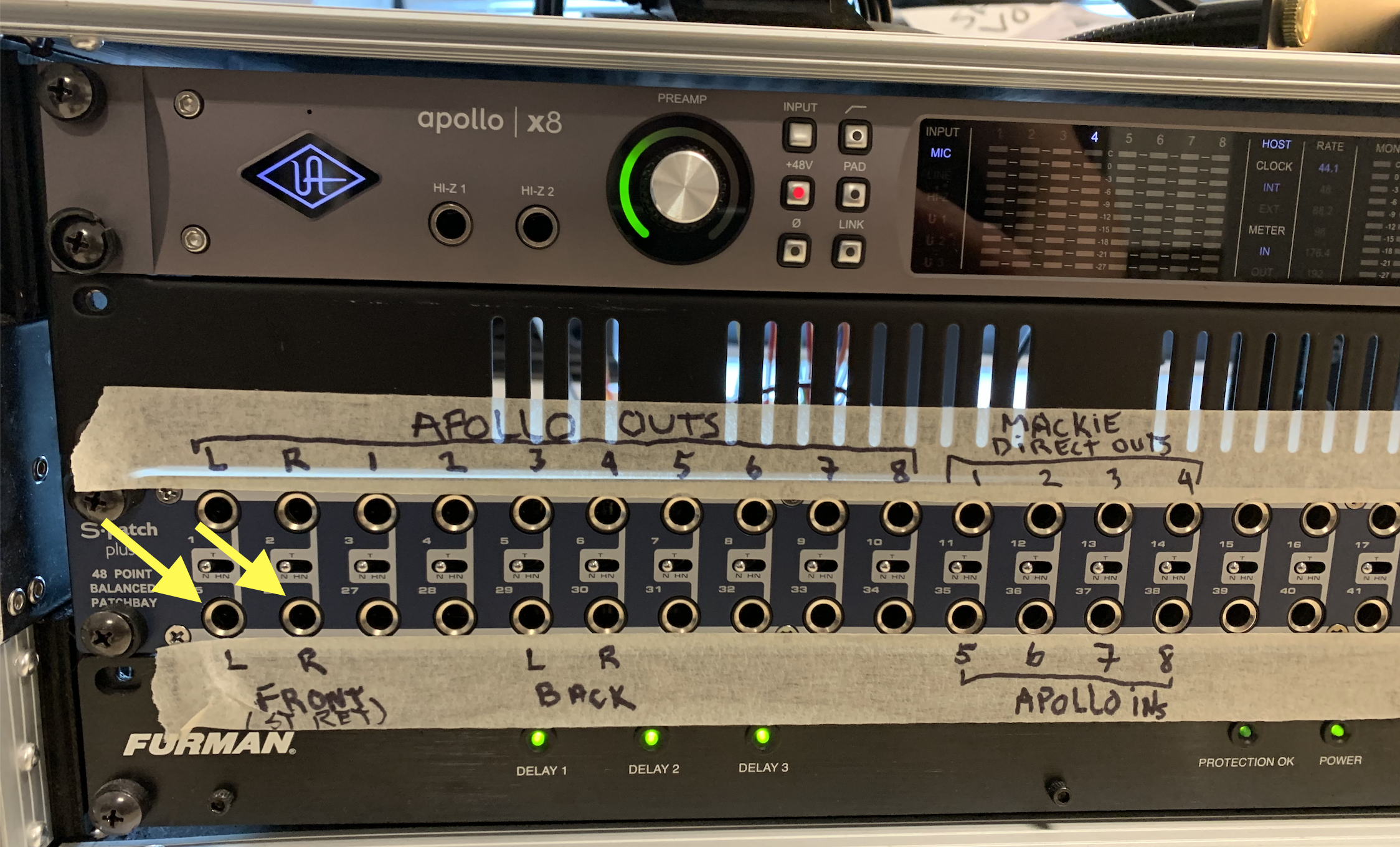
• Connect a mic into CH4. Connect the "Main out L and R" of the Mackie to the "Front L and R" of the patchbay (these speakers will act as our PA speaker). Connect the black JBL speaker to AUX Send 2 (this will be the “monitor”). Power everything on (mixer first, speakers last).
Q1: What level is the microphone before connecting the mixer, and what level is it after the GAIN control?
• Set level for the mic (using the SOLO button and the GAIN knob). Add enough gain so that your voice hits "0" on average on the meter.
Q2: What effect does the "MODE - AFL/PFL" button have?
• Press the LR output assignment button.
Q3: What effect does the "MODE - AFL/PFL" button have?
• Raise the MAIN fader to -10dB, then, slowly, raise the CH4 fader while speaking in to the mic. You should hear your voice in the speakers.
• Try the PAN knob; try the MUTE button.
• Play around with the EQ and get a feel of how the Low, Mid, and High knobs work.
• Find the Low Cut filter button.
Q5: What does the low cut filter do, and how is it different from the LOW frequency filter in the EQ section?
• Bring the faders down, and disconnect the mic, and re-connect it to channel 2. Repeat the steps above (of course, no need to answer the questions again, just think about them, but redo all the actions).
• Connect a pair of headphones (the Sennheiser pair that's on the desk) to the headphone connector. With the mic sounding on the speakers, put on the headphones and raise the headphone level knob.
Q6: What do you hear? Does the Main Mix fader affect what you hear?
• Press the SOLO button on Ch 2.
Q7: How does the SOLO button affect what you hear on the headphones? What does the PFL/AFL change with the headphones?
SENDS
• Turn down the MAIN fader.
• Connect the black JBL floor monitor speaker to AUX2 Send a the back of the mixer. Make sure it is powered on and that the level knob on the speaker is at about 9 o'clock.
• Find the AUX 2 MASTER knob. Turn it up to "u".
• Send the mic to the floor monitor as a PRE-Fader send on Aux 2 (Remember to push the PRE button). Change to Post-Fader.
Q8: What's the difference between pre and post?
Q9: Does the EQ affect the sound of the monitor in PRE mode? What about in POST.
Q10: What does the AUX 2 MASTER knob do?
• Turn up the Main fader to -10. You should know hear the mic in both the monitor and the main speakers.
Q11: Does the MUTE button affect the monitor?
• Power off the monitor speaker, and reconnect it to Aux Send 4. Power the speaker back on.
• Send the mic to the monitor on Aux 4.
Q12: Can Aux 4 be Pre-Fader?
Q13: Does Aux 4 have a Master fader?
You're done!
CLEAN UP:
Power-off all the speakers, then the mixer, and disconnect all cables. Coil all the cables and leave everything as tidy as possible for the next person.