
Please complete all previous assignment before starting this assignment.
In this short assignment, you must experiment with the transducer speaker system I demonstrated last class. No need to compose or improvise, simply play some sounds of your choice (samples from last year for example) through the transducer, and try out different surfaces on which to place it.
To use the transducer drivers:
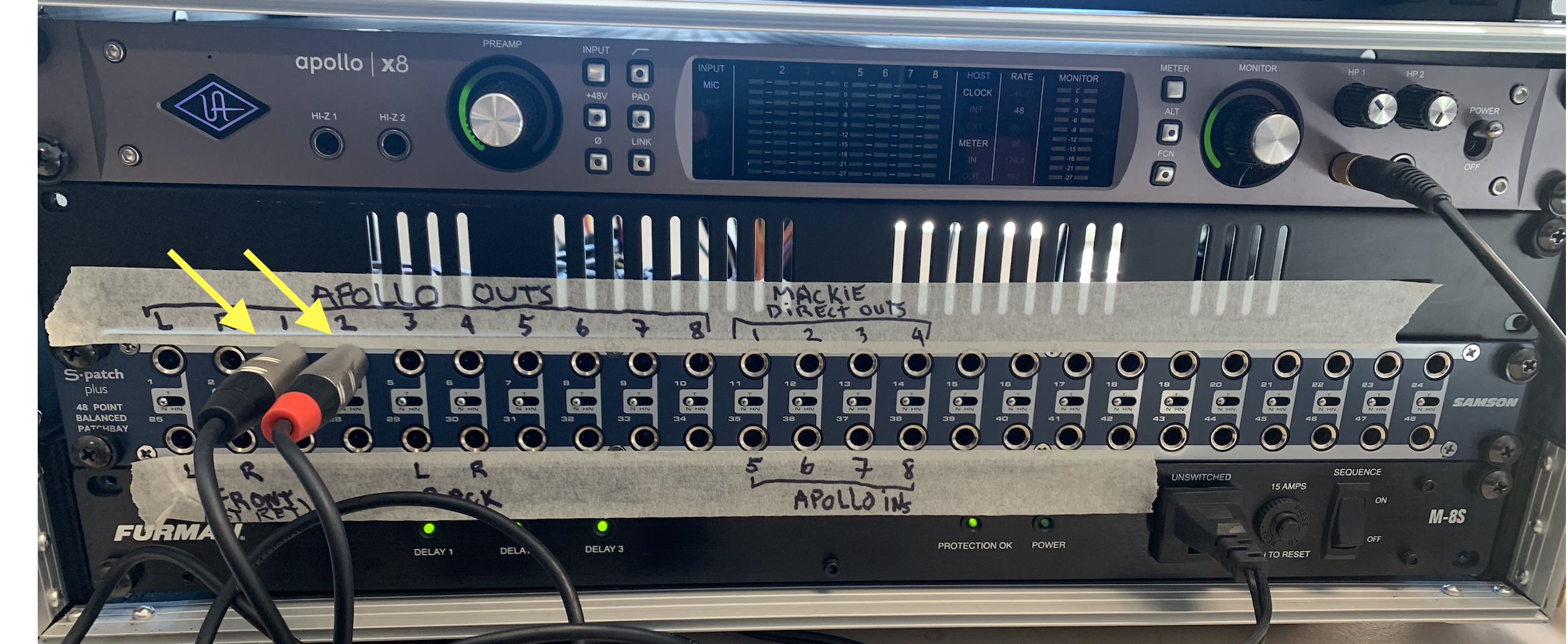
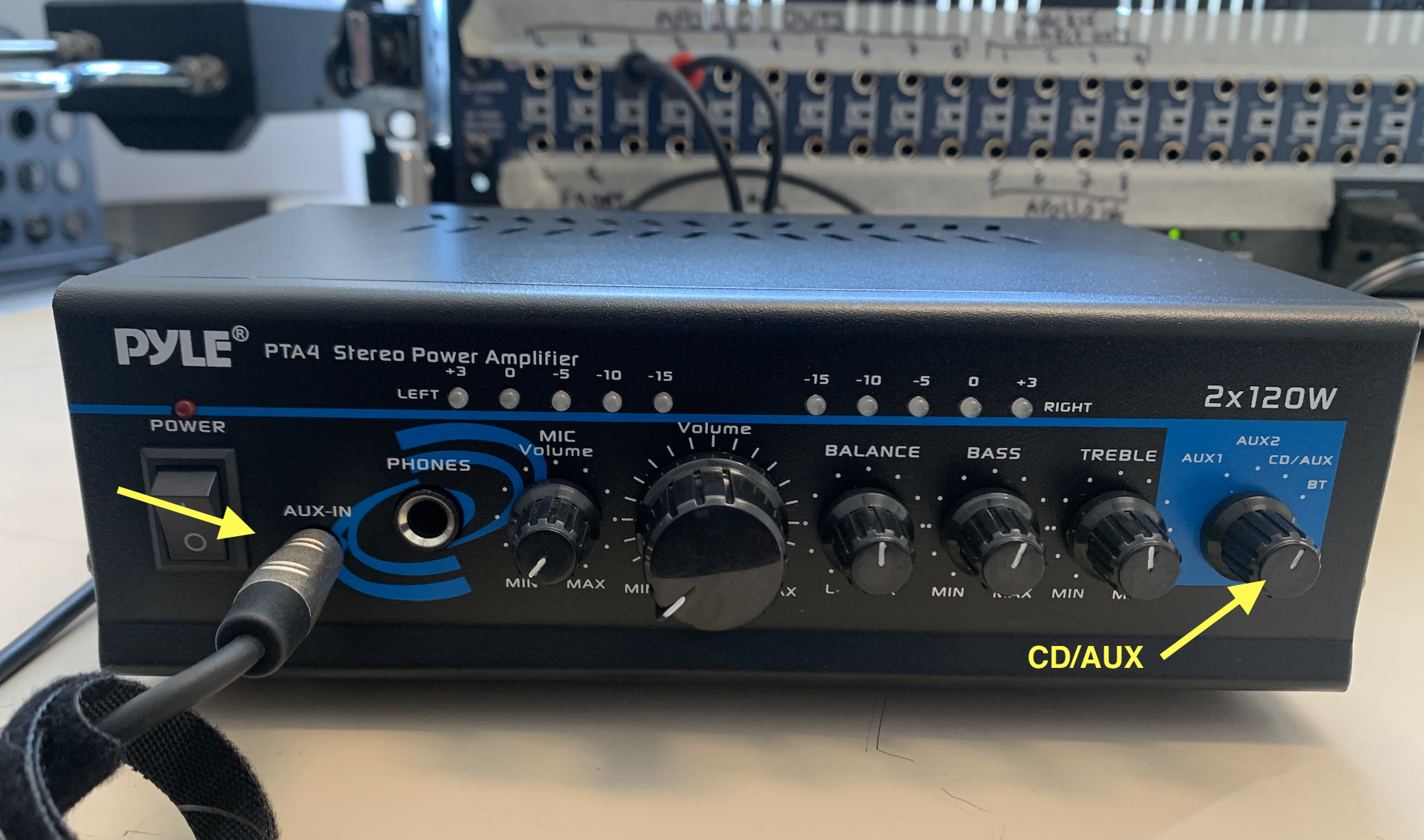
• Make sure that the splitter cable is connected to the front AUX IN input of the Pyle amp (on the table), and that it is also connected to "Apollo OUT 1-2" on the patchbay. Furthermore, make sure the input selector knob on the Pyle amp is set to CD/AUX, and that the VOLUME knob is all the way down. Turn ON the amp.
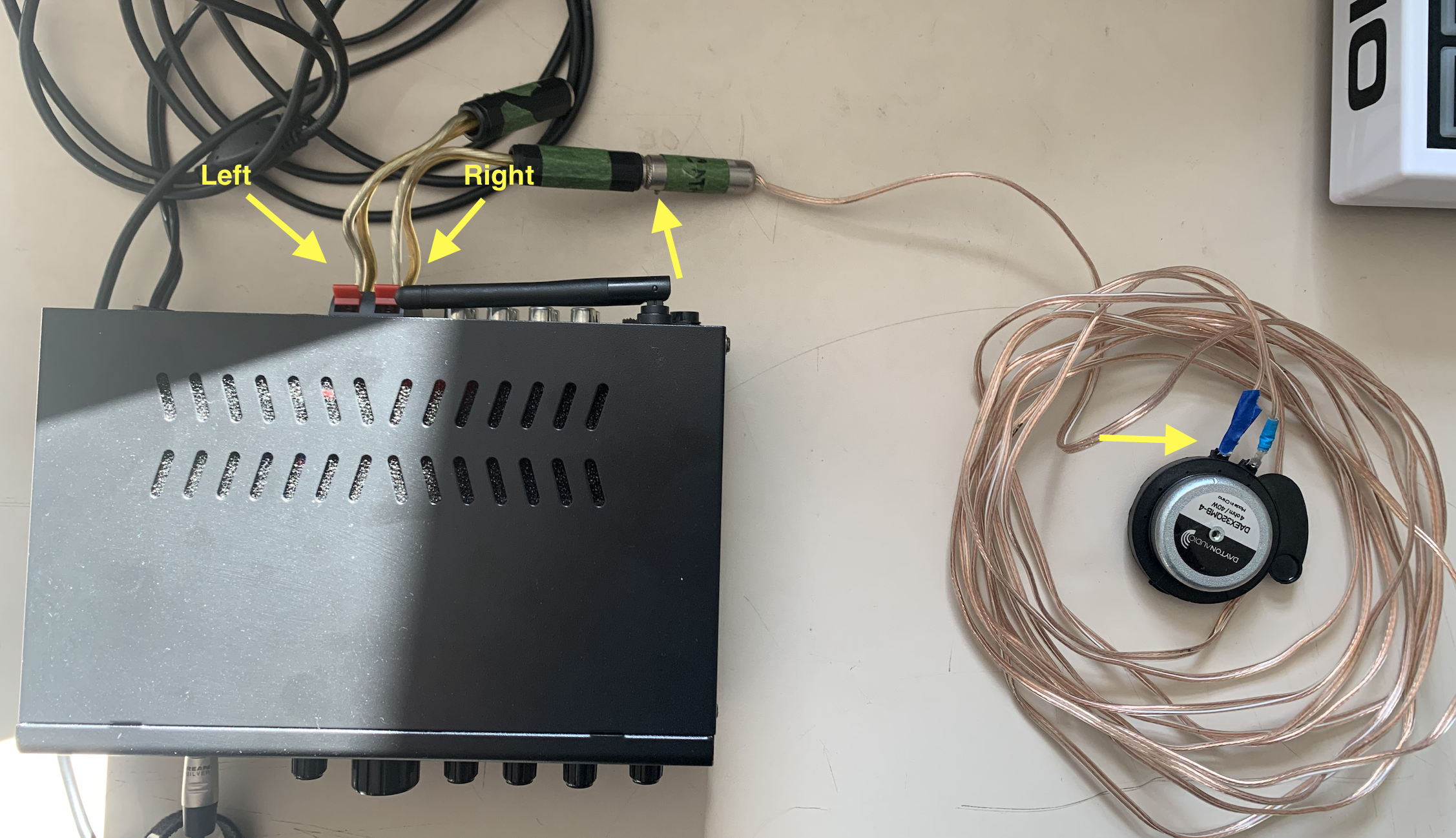
• Connect the TS cable from the transducers to the TS inputs connector at the back of the Pyle amp. Make sure you know which is Left and which is Right. Also make sure the wires on the transducers are well attached (it's possible they might come undone with lots of handling).
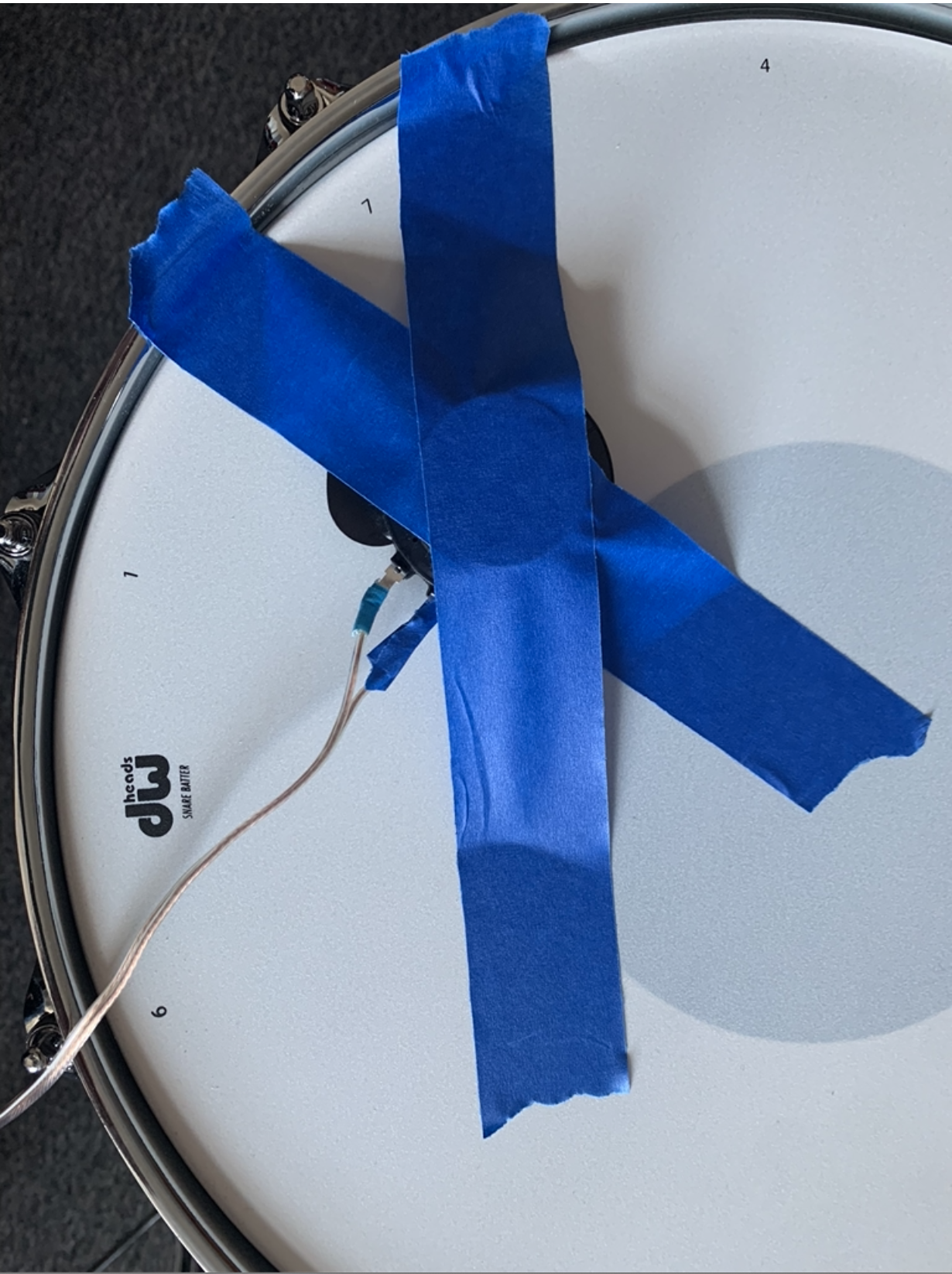
• Tape down the transducers to a resonant surface (i.e., the piano sound board, the snare drum, the cymbal, the door of one of the cabinets, a music stand, etc.). The tape should be as tight as possible.
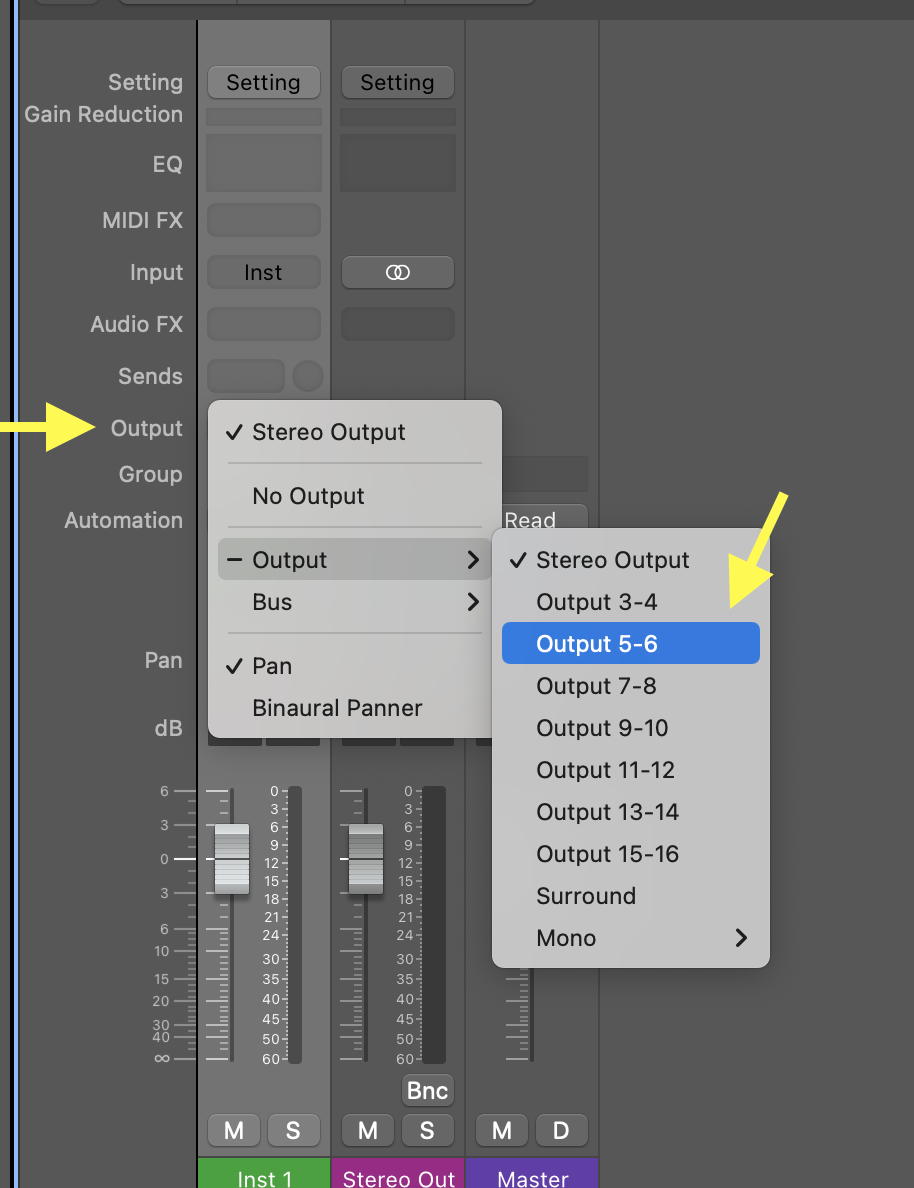
• In Logic, create a track (or multiple tracks) and choose "OUTPUT 5-6". Tracks with OUTPUT 5-6 will send audio to the Pyle amp, and thus the transducers. (Remember that, for weird reasons, OUTPUT 5-6 in Logic corresponds to Apollo 1-2 on the patchbay. This is normal.)
• Place a sound file in the newly created track, and press play. Slowly bring up the volume of the amp; you should hear sounds coming from the transducers. Adjust the VOLUME on the qamp to your liking.
• Try different surfaces, and take a pictures of the transducer on the surface so that you have a record, and I can also see what you've done.
• After taking your pictures, turn OFF the amp, disconnect the transducers, and place them back in the cabinet. Leave the amp on the table, connected to the patchbay.
• Have FUN!