
Please complete all previous assignment before starting this assignment.
There are three parts to this assignment: 1) recreating the PAMs random melody patch shown in class, 2) trying out the MiniFreak synth, and 3) using all the synths together in preparation for the final project.
Getting Started
1) NEW: Make sure ALL the synth faders on the Yamaha mixer are down, then power-on the Modular (black button, top left), the MiniFreak, and the Moog. Bring the Yamaha faders up to "0".
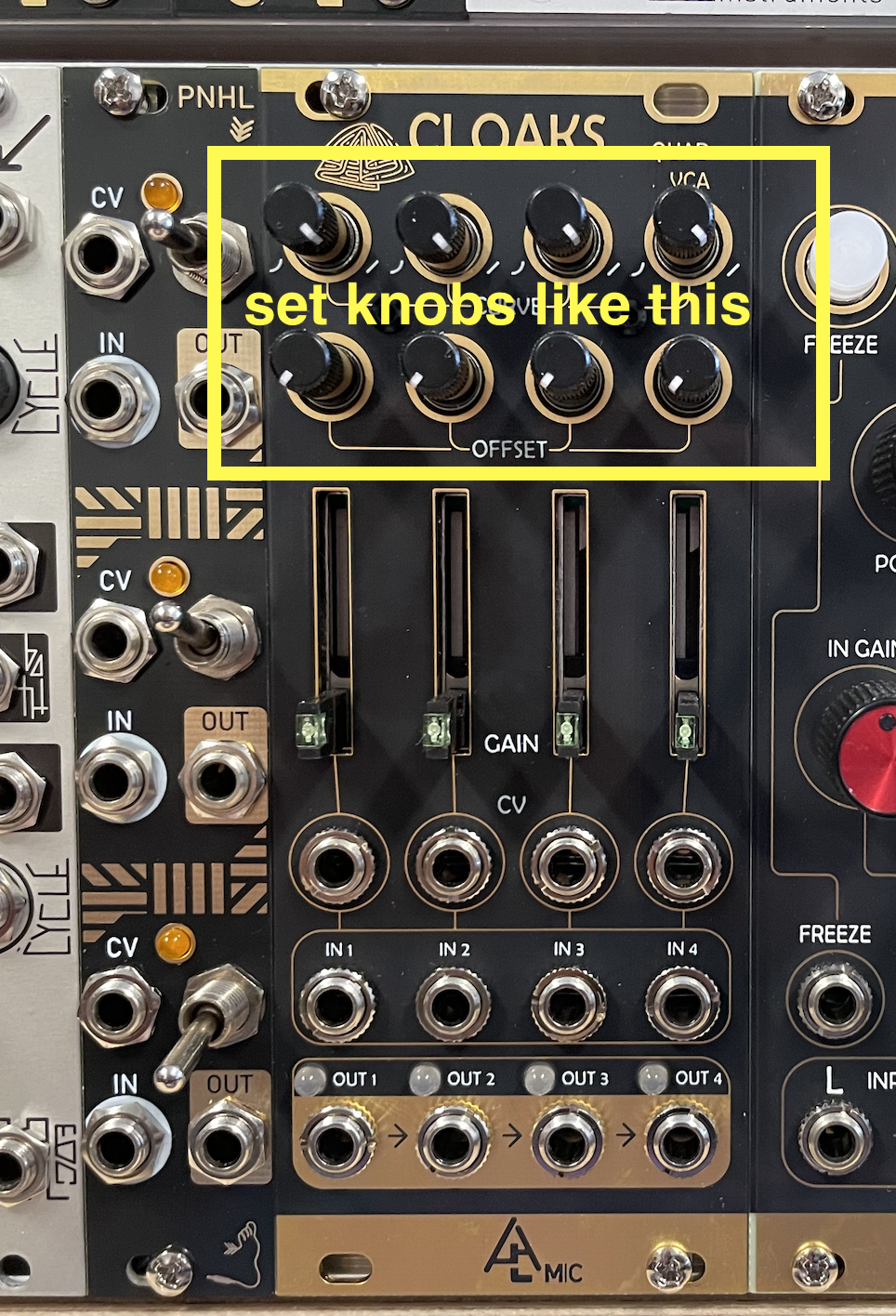
2) Reset CLOAKS on the modular, as in previous assignments.
3) Reset PAMs. To navigate in PAMs, turn blue knob to desired output, then push and hold to edit that particular output. Push and hold to choose another output. See the manual or this video for a demonstration:
Here, turn until you see the TEMPO value, then push and hold until you're in the edit mode, and turn until you get to RESET ALL; push and select yes. Push and hold to return to the main page.
Link to the complete Pamelas Pro Workout YouTube tutorial playlist.
4) Turn up the HEADPHONE volume on the modular to about 12' o'clock.
Part 1 - Pamela's Melody
1) Connect the modules as in the image below.
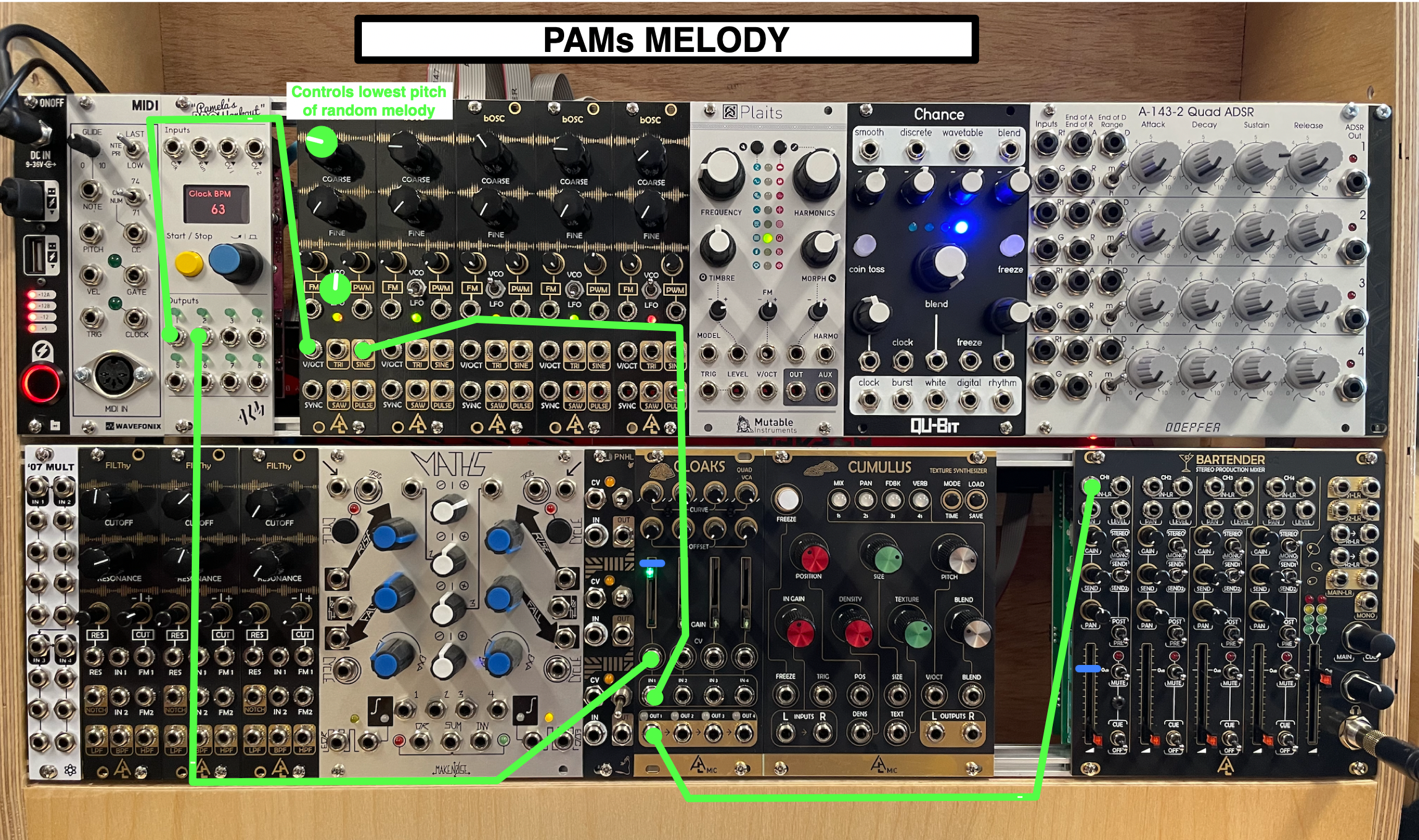
2) On PAMs, hit the yellow PLAY button, and enter the following values:
OUT1 (This will be the output used for PITCHES)
• x4
• shape: random
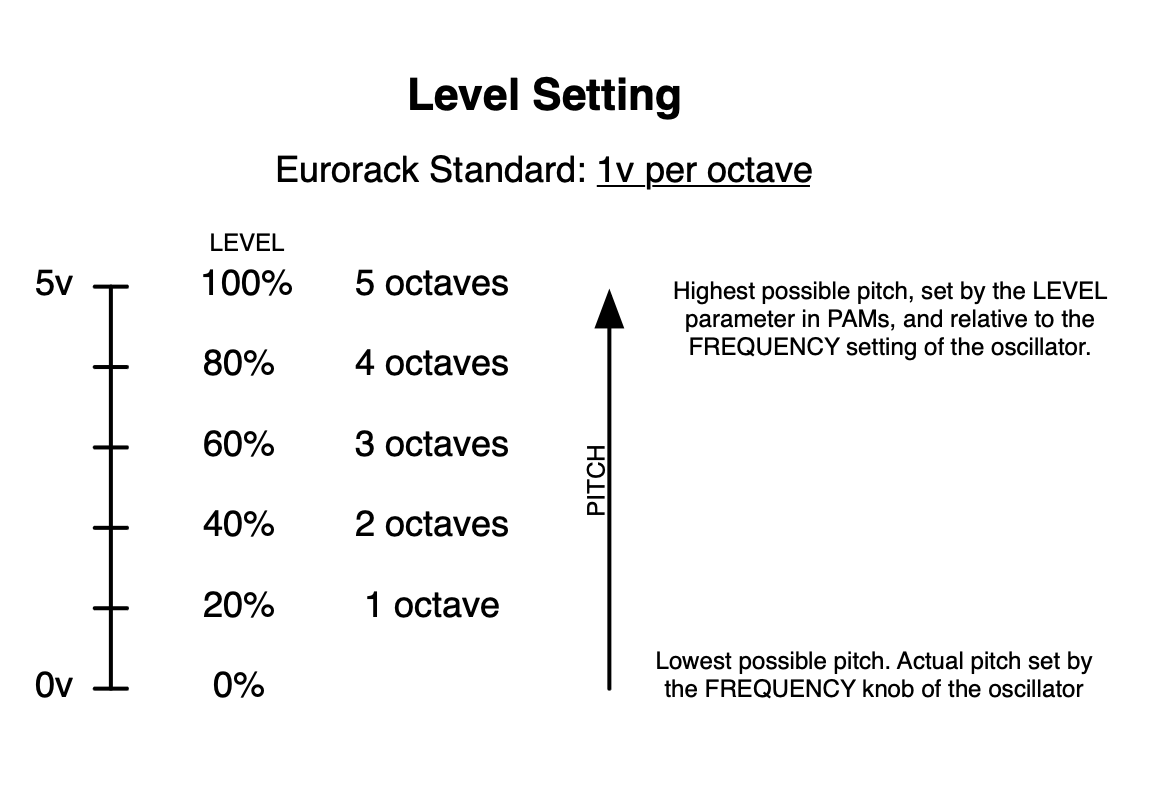
• level: 60% (20% per octave)
• Probability: 80%
• Loop: 4
• Quantize: Harm minor
• Cross Op: Seed
• Cross Op Src: OUT3
OUT2 (This will be the output used for volume and rhythms)
• x4
• Shape: random
• Probability: 70%
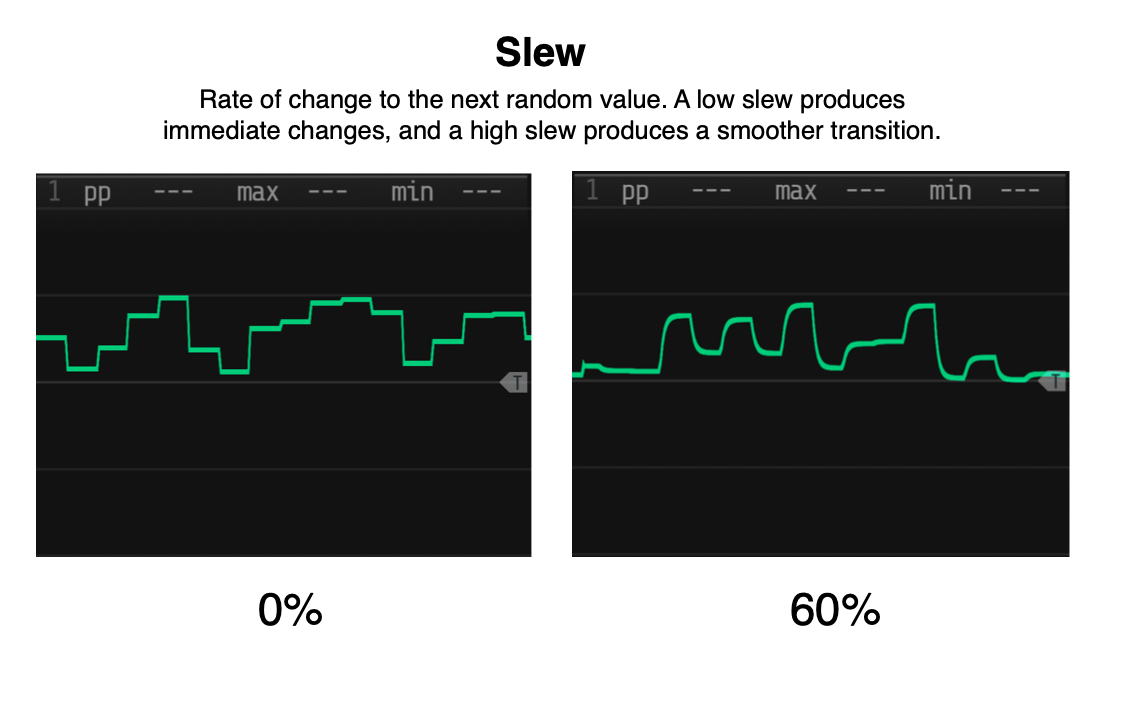
• Slew: 50%
• Loop: 4
• Cross Op: Seed
• Cross Op Src: OUT3
OUT3 (This will be the output used to reset the pitch loops)
• /16
What's going on:
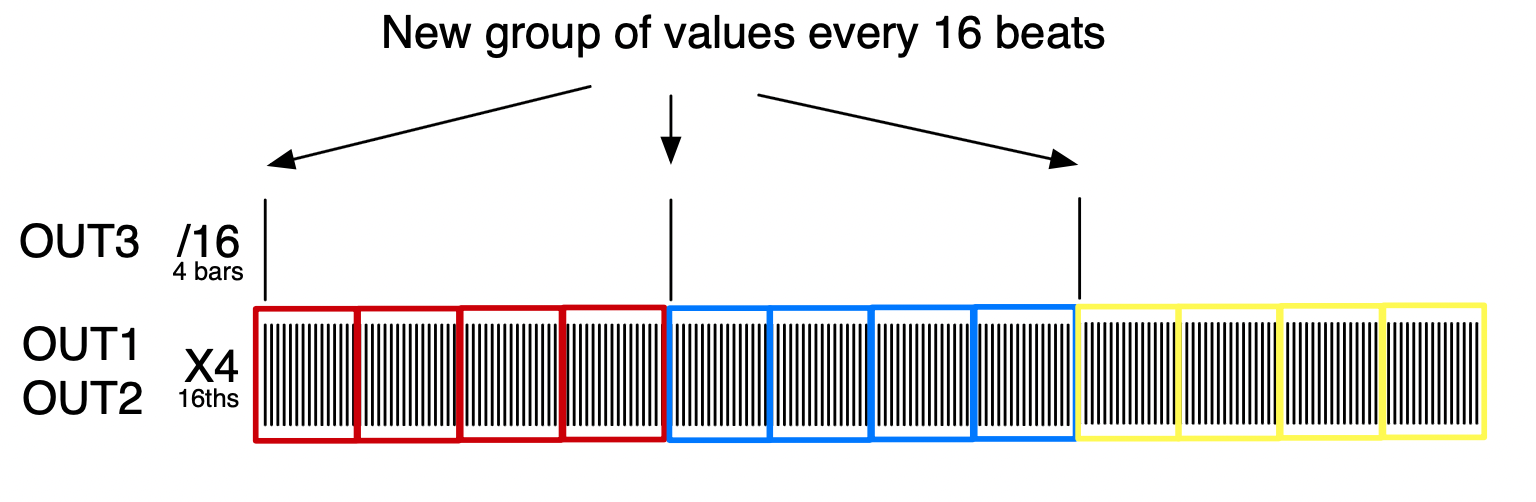
• By choosing the random wave shape and the "x4" division, OUT1 produces a stream of 16th note random voltages which we will use as pitches. They are looped in groups of 4 beats, and tuned to a harmonic minor collection. The probability parameter controls how likely it is that a new voltage will be produced on the next 16th pulse (so low % means not likely to have a new voltage, and high % is more likely). The level parameter controls the highest possible note that's randomly produced:
• Similarly, OUT2 produces a stream of random voltages, but which we will use as a volume envelope (instead of MATHS or the ADSR module). OUT2 is also looped in groups of 4 beats, so the shape of the envelope will repeat at the same time as the pitches from OUT1. The SLEW parameter adjusts how abrupt the change is to the next random value.
• OUT3, produces a gate signal every 16 beats (because of the "/16" setting). This signal will reset the random looped values used by both OUT1 for pitch and OUT2 for volume. OUT1 and OUT2 know to look at OUT3 to reset because their "CROSS OP" parameter is set to SEED ("seed" in computer programming is a number used by a random algorithm to start a series of random values). In PAMs, "CROSS OP" is a feature where an output looks at another output to be either compared or combined. NOTE: the CROSS OP feature is an extremely powerful feature of PAMs, especially for creating complex patterns; see this YouTube tutorial if interested).
3) Now, change the OUT1 parameters as below, and connect MATHS to CV1 of PAMs. Lastly, push the CYCLE button on MATHS.
• LEVEL: CV1
• PROBABLITY: CV1
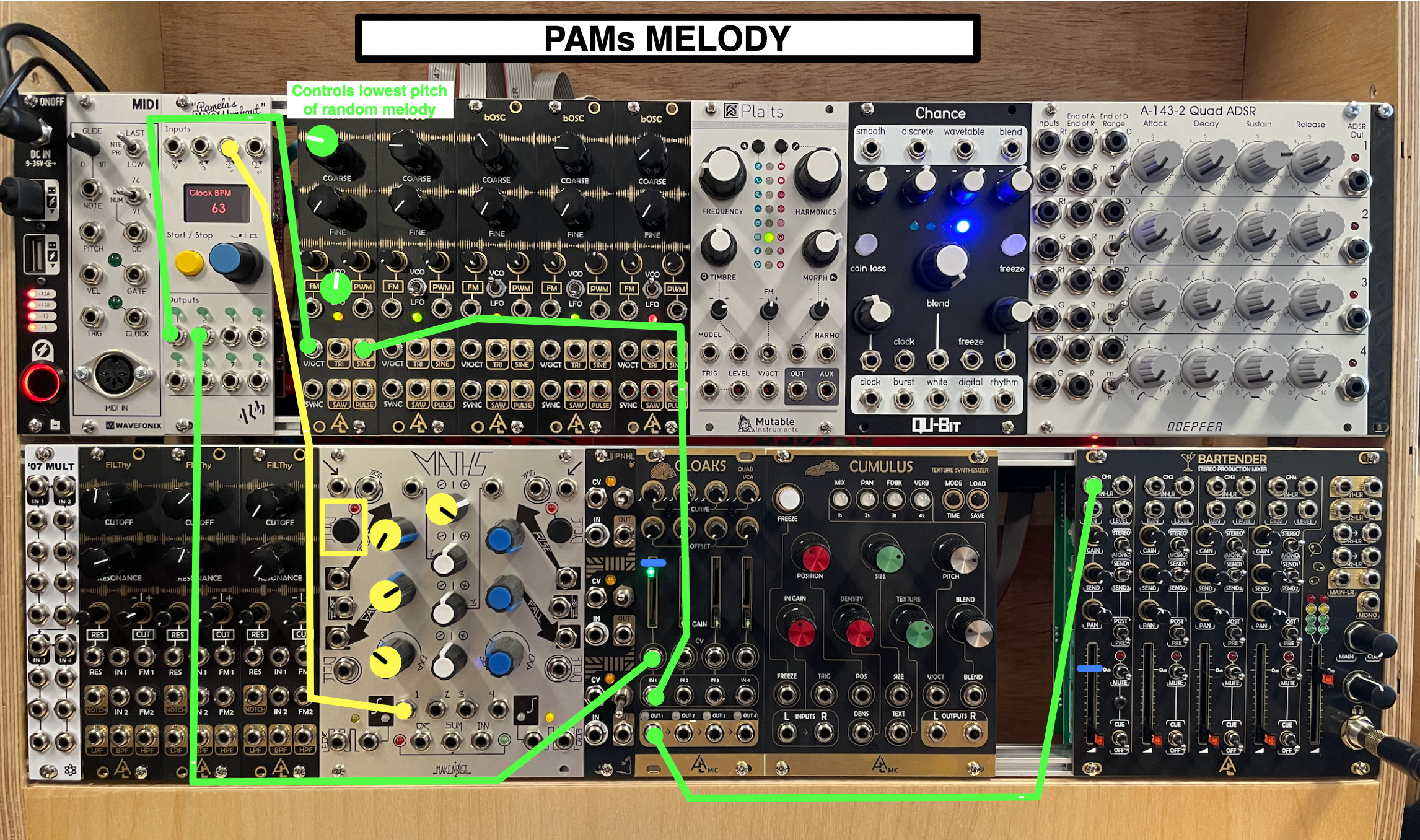
What's going on: MATHS loops an envelope (fast RISE, slow FALL), which controls the LEVEL and PROBABILITY of PAMs OUT1. As a result, when the envelope is high, we hear many pitches in a wide tessitura; and as the envelope falls, the tessitura is reduced and we hear fewer different pitches.
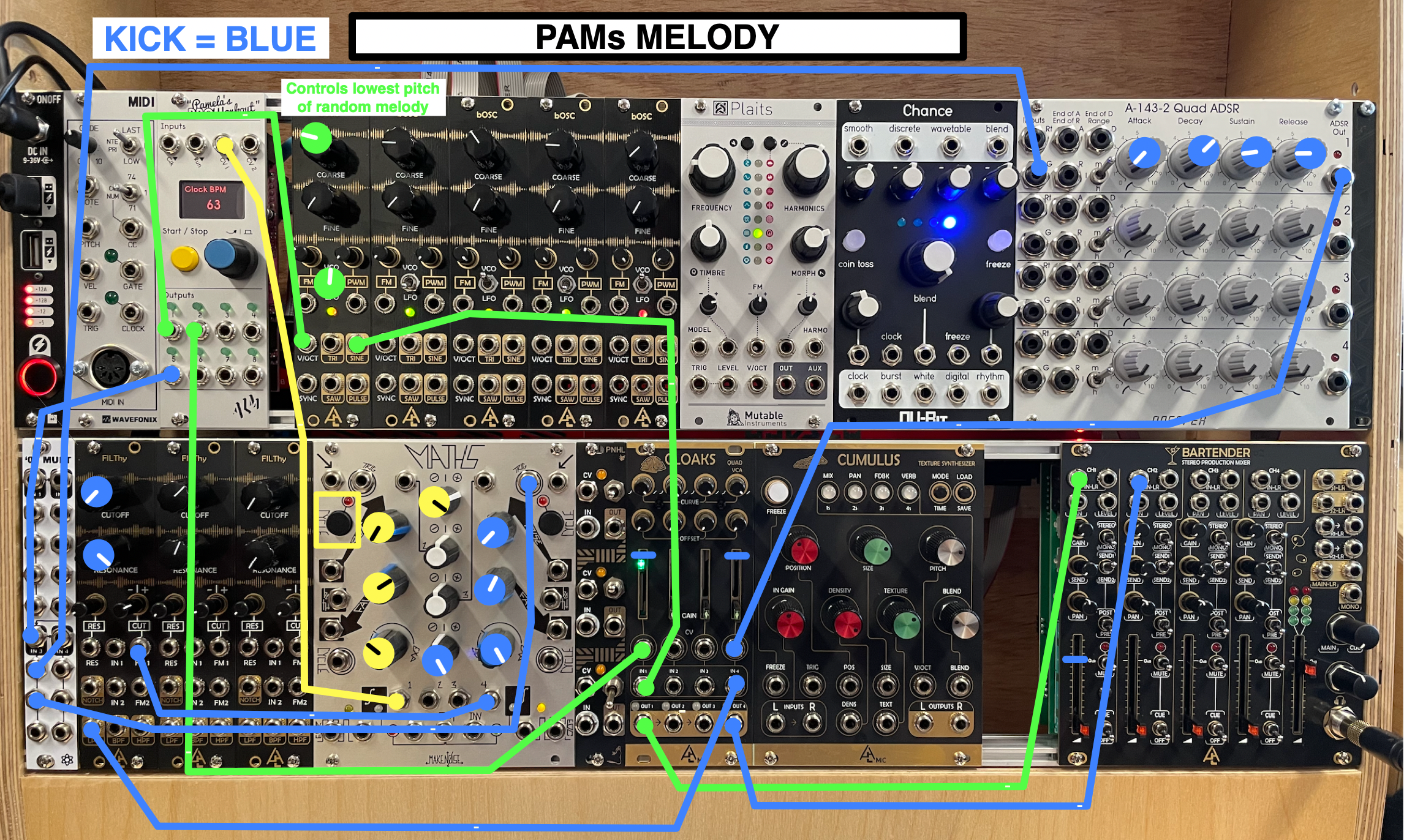
4) Add the kick patch from Assignemnt 8:
Part 2 - MiniFreak (link to the manual)
• Turn on the MiniFreak synth.
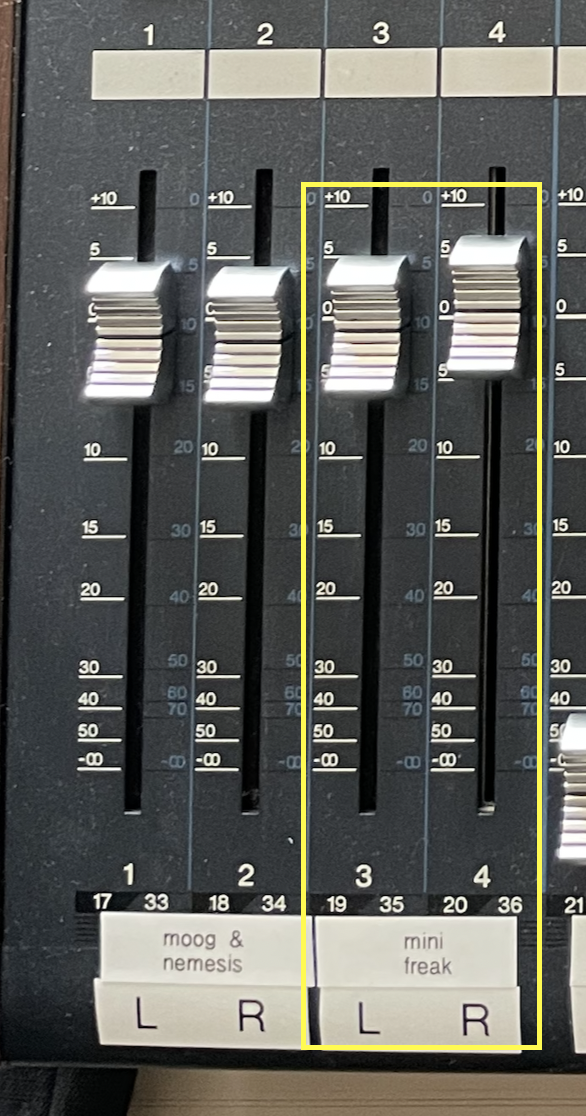
• On the Yamaha mixer, turn up the faders to "0".
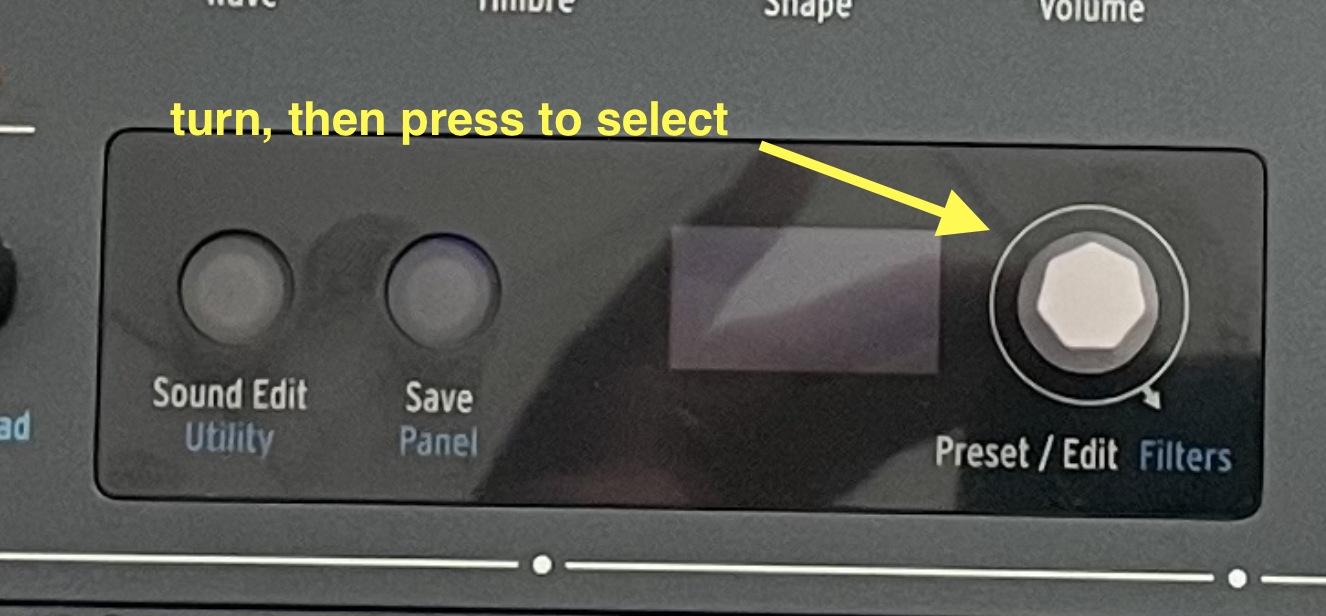
• Select a preset: turn the grey preset knob, then push it down to select the preset. I suggest you look at the "SEQUENCE" presets, since they might be useful for the final project; remember to hit the PLAY/STOP button if you do.
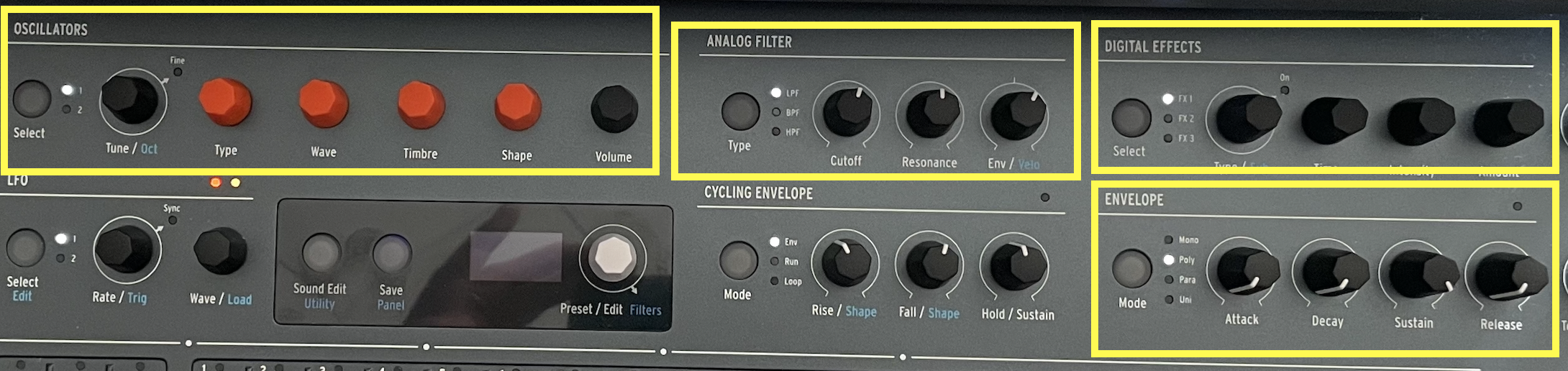
• Once you've found a preset that you like, experiment with the OSCILLATORS, ANALOG FILTER, DIGITAL EFFECTS, and ENVELOP sections. Here, I'm not going to tell you exactly what to do; rather try to figure out how things are working based on what we've seen already on the Moog and modular. The Minifreak is somewhat different from the Moog, but still intuitive. Note that the some knobs can change mode depending on what's selected. If you want more info, refer to the manual.
Part 3 - All Synths Together
1) Raise the faders on the Yamaha mixer for all the synths. Play some notes on both keyboards. You should hear sound.
2) Connect the RED patch cable with no tape to OUT7 on PAMs.
3) Connect the RED patch cable with the MF yellow tape label to OUT8 on PAMs.
NOTE: NEVER disconnect both these cables from the MiniFreak or the Moog; just leave them between the modular and Moog when done.
4) On PAMs, set the division of OUT8 to x2. This is necessary for the MiniFreak to synch properly.
What's going on: the RED patch cables are connected to the CLOCK IN of both the MiniFreak and the Moog. By connecting the other ends to OUT7 and OUT8 of PAMs, we're making PAMs the main clock for all three synths.
5) Consider the following to start off your experiments with three synths:
• Modular: use the current random melody patch as a main line, and the kick as the main pulse.
• MiniFreak: choose a sequence that has a percussive element, as a rhythmic layer.
• Moog: play, arpeggio, or sequence a bass line.
Feel very free to deviate from this starting point. You can look back to previous assignments for patch ideas.
[note for David: add tuning]
Experimentation
• MUTE THE APOLLO (press the MONITOR knob, it will turn red). VERY IMPORTANT!! You will get feedback if you don't do this.
• Then, open Logic on the iMac, create a FOUR tracks with INPUT 7-8, 9-10, 11-12, and 13-14 respectively. Click record enable on all four. Label the tracks as follows:
1-(Input 7-8) MIX
2-(Input 9-10) MOOG
3-(Input 11-12) MiniFreak
4-(Input 13-14) Modular
This will record the mix of your experimentation, as well as the unmixed signals from each synth, allowing you to re-mix at a later time, if desired.
• Hit record.
• Experiment by playing around with any knob or connection. As always, this is an instrument, meant to be played; turn those knobs!
• Have fun, and do not fear mistakes.
Finally…
• Save your Logic project.
• Turn down the faders on the YAMAHA mixer.
• Turn down the headphone volume on the modular.
• Remove all patch cables and place them on the table in front of the modular.