
To do done INDIVIDUALLY.
NOTE: all the cables for the assignment are in the black bin next to the piano. Please return all the cables there at the end.
• Connect Outputs 7 and 8 on the X32 to the FRONT SPEAKER input on the patch bay; use the XLR to 1/4 cables for this. These will allow us to use the studio GENELEC speakers as our MAIN PA speakers.
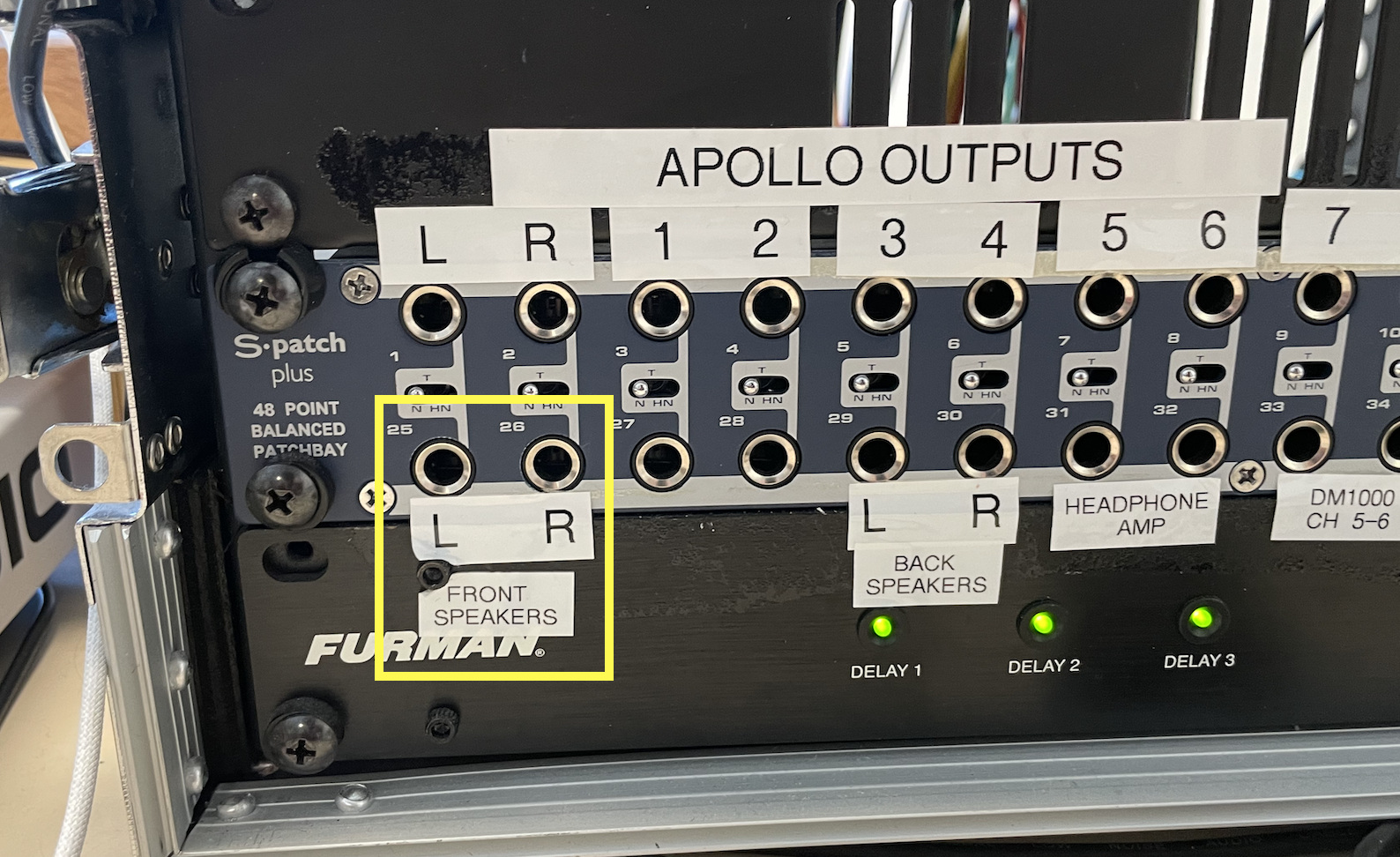
• Connect the black JBL speaker to Output 1 on the X32 with an XLR cable; this will be our FLOOR MONITOR.
• Power everything on (mixer first, speakers last).
• Go to the scenes page, recall the "INIT-START HERE" scene (hit the VIEW button on the scenes section, then use the knobs at the bottom of the screen).
• Connect a mic to Ch. 15.
• Rename Ch. 15 to "Vox", and give it a smoking-hot color: hit the SETUP button on the side of the screen, and navigate to the SCRIBBLE SCRIPS screen. From there, hit the SELECT button for a given channel, and change the NAME using the knobs at the bottom of the screen.
• Add GAIN to the mic, and send it out to the Main PA speakers, as shown in class.
• Add a low-cut filter set just below the lowest note of your voice; add a low shelf (freq, ~200Hz, gain, -3dB); finally, add a band filter set to 4kHz Frequency and +3dB Gain on the “High-Mid” filter. Remember that you must turn on the EQ and Low cut fillers by hitting their respective buttons.
• Add a Compressor to Ch 15. Adjust the threshold knob until the compression is very audible.
• Add a Gate to Ch. 15. Adjust the threshold knob so that the sound cuts off when you speak quietly.
• Send the mic out to the monitor. Procedure: hit SENDS ON FADER, then hit the SELECT button for BUS1 and raise the BUS1 fader to "0". Now, slowly raise the Ch.15 fader until you hear your voice in the monitor. Turn off SENDS OF FADER.
• Send the mic to the Vintage Room effect unit on FX1, which is on BUS13. Simply repeat the above procedure with BUS13.
Not seen in class, but please try:
• On the Vintage Room effect, set the decay time to 3 seconds, and the low pass (high cut) to 4kHz.
• Plug in the headphones (the Sennheiser 280 on the desk) on the side of the mixer (look into the hole where the handle is).
• Locate the headphones volume knob; turn it all the way down.
• Press, the Solo button and listen to the mic on the headphones as you do this (slowly raise the headphone volume until you hear something). What do you notice about the meters on the screen when you solo?
At this point, you should hear your voice, with EQ, compression and a gate, in the MAIN speakers (with reverb) and the monitor (no reverb).
• Once it's all working, save your work as a scene (A6-yourname) on an empty scene slot (do not overwrite the INIT-START HERE scene)
• Turn off the system, speakers first, then mixer. Coil all cables and put them back in the bin; tidy up.