
To be done INDIVIDUALLY only.
Task:
Using the iMac computer on the desk in 618, mix "Strangest Places" on the GENELEC studio Speakers.
Setup
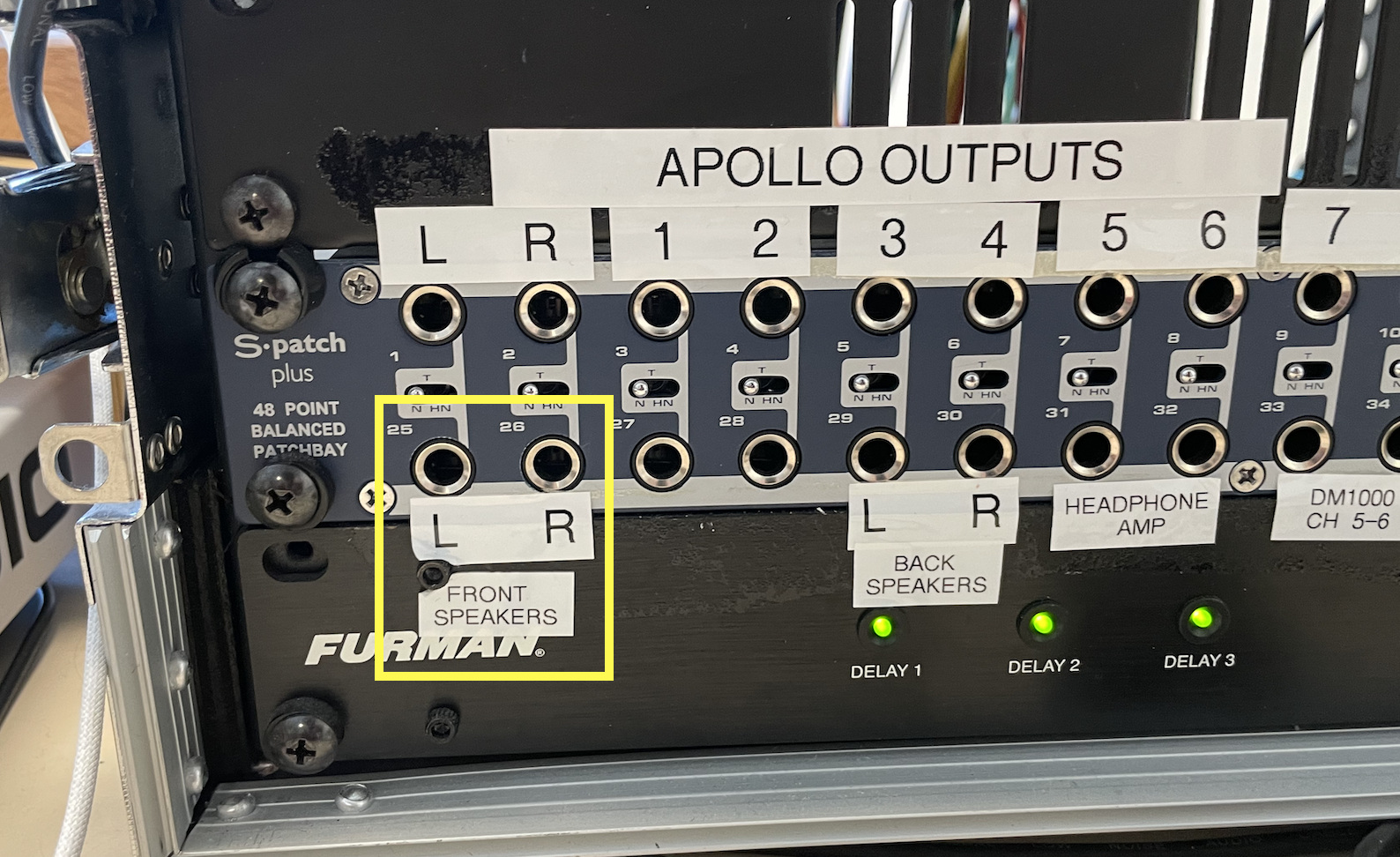
• Connect Outputs 7 and 8 on the X32 to the FRONT SPEAKER input on the patch bay; use the XLR to 1/4 cables for this. These will allow us to use the studio GENELEC speakers as our MAIN PA speakers.
• Connect the black JBL speaker to Output 1 on the X32 with an XLR cable; this will be our FLOOR MONITOR.
• Power everything on (mixer first, speakers last).
• Go to the scenes page, recall the "INIT-START HERE" scene (hit the VIEW button on the scenes section, then use the knobs at the bottom of the screen).
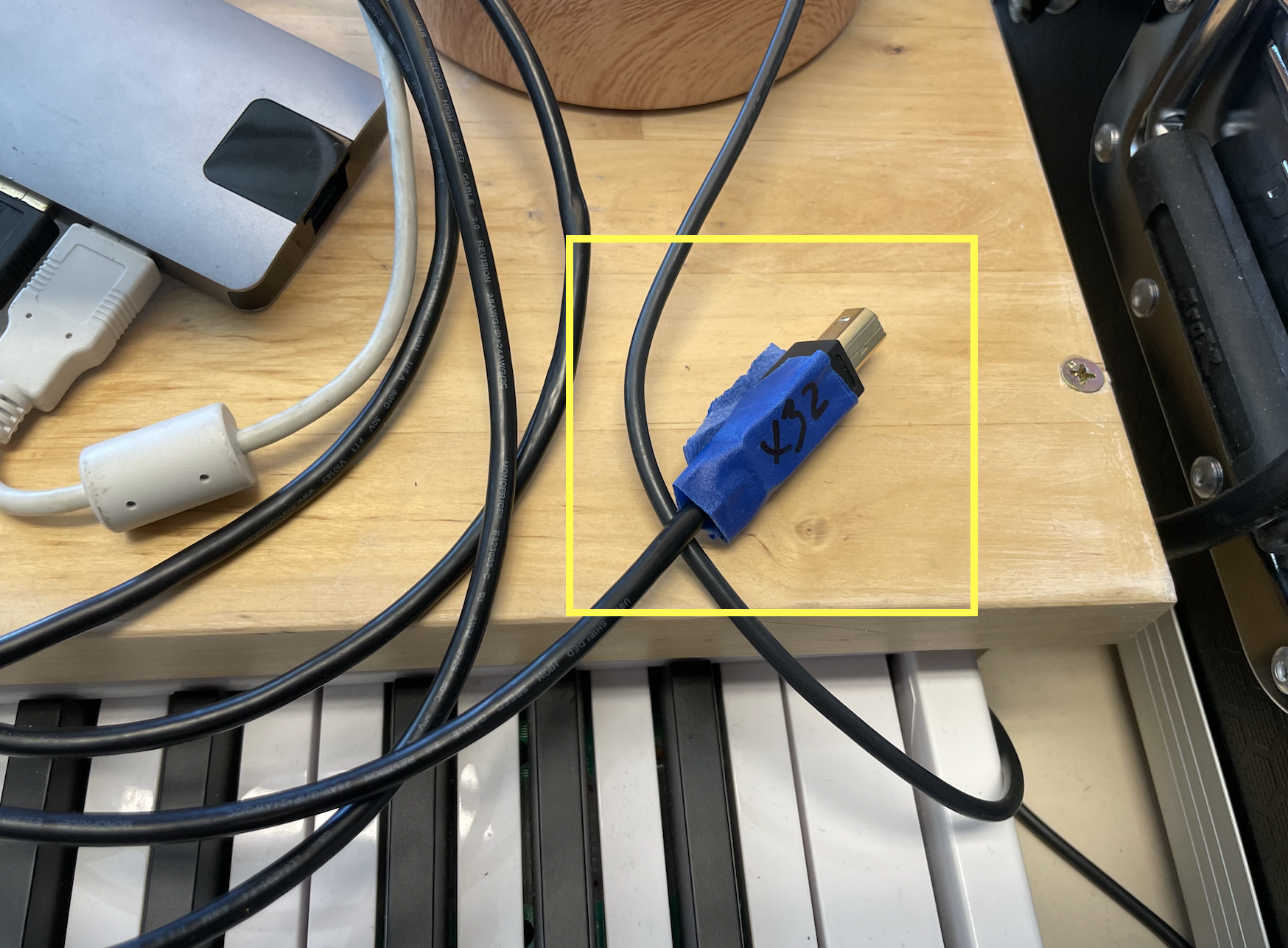
• Connect the black USB cable with the blue X32 tape on it to the X32.
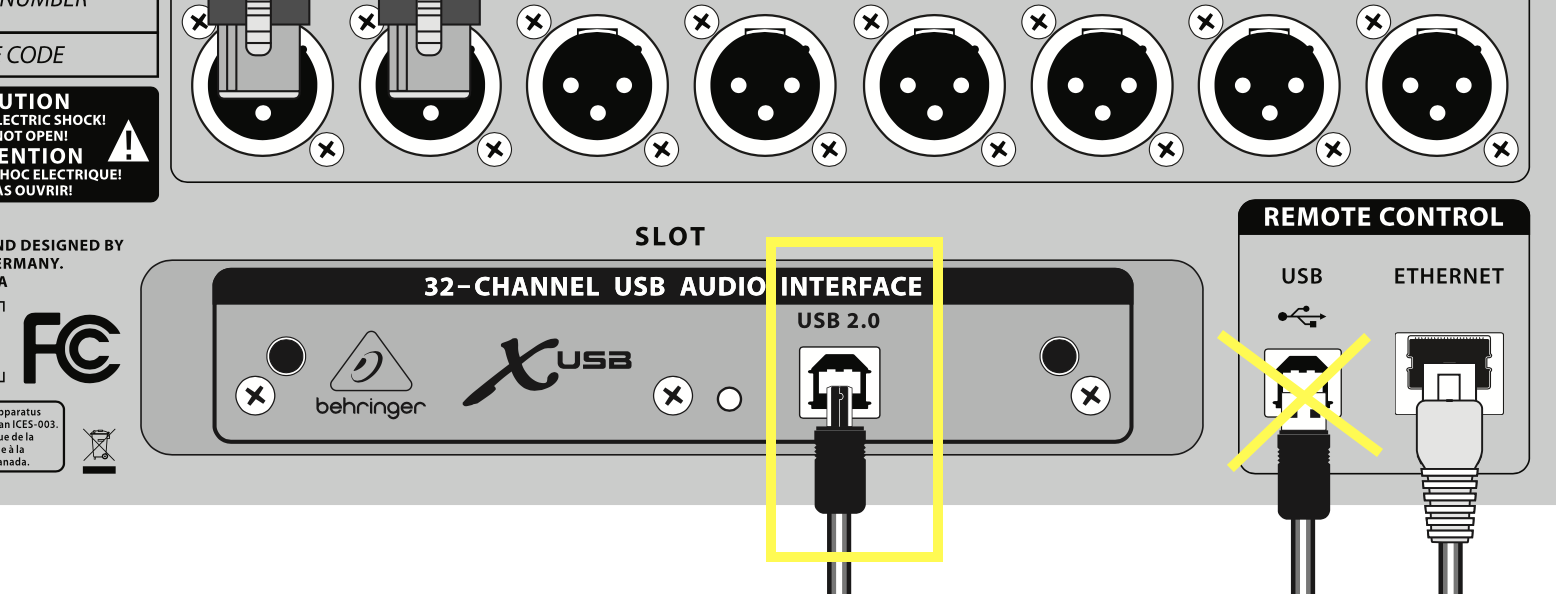
On the X32, make sure you connect the USB cable to the 32-CHANNEL USB AUDIO INTERFACE USB port and not the REMOTE CONTROL port.
• On the Desktop of the iMac, click on "Student Work", then "2024-2025", then "Advanced Electronic Music", then "_Class Materials", then "Doom Flamingo - Strangest Places", and finally click on the "Doom Flamingo - Strangest Places-X32.logicx" project file. Logic will open.
****DO NOT MODIFY, EDIT, OR CHANGE THE LOGIC PROJECT. IF ASKED TO SAVE, CLICK "NO" ****
• In Logic, change the OUTPUT DEVICE to X-USB (Preferences->Audio->Devices)
• On the X32, go to "Routings" (button near the screen), then, using the knobs at the bottom of the screen, do the following:
1-8, select Card 1-8
9-16, select Card 9-16
17-24, select Card 17-24
The X32 will now receive audio from Logic. Each track in Logic corresponds to an input channel on the X32.
• In Logic, press play (spacebar). Press return to move the playhead back to the beginning.
• On the X32, you should now see the meters on ch 1-14 illuminate as per the signals coming from Logic. This is your virtual band.
• Rename channels 1-14 as follows:
1-kick In
2-kick Out (NOTE: do not use this track for you mix)
3-Snare
4-Hats
5-Floor
6-Bass
7-Guit
8-Juno (this is a synth)
9-Korg (another synth)
10-Nord (yet, another synth)
11-Drum vox
12-Main vox
13-OH L
14-OH R
• Create a stereo link for channels 13-14
• Raise some input faders and the Main out fader. You should hear sound coming from the PA speakers.
• Mix the piece as best you can by using the faders, EQ, compression, and gates. However, you must add reverb to the voice. As an added optional challenge, try to change the effect type on BUS 13 to Hall Reverb.
Start your mix with the KICK (add EQ, GATE, COMPRESSION as needed), then the SNARE, then HATS, then OVERHEADS. Add the BASS, GUITAR, and SYNTHS. Always be mindful of the 100-1k frequency region. Finally, add the VOICE, which needs reverb and lots of compression and makeup gain.
Remember the wise words of old-man Dave: Cut don't boost!
• Once done with the mix, send main voice, guitar, and Nord synth to the floor monitor. As an added optional challenge, try also sending reverb to the voice on the floor.
When done:
• Save your work as a scene (A7-yourname) on an empty scene slot (do not overwrite the INIT-START HERE scene)
• Turn off the system, speakers first, then mixer. Coil all cables and put them back in the bin; tidy up.